Air Glide
A smart airport cart that puts navigation, flight info, and airport services on the one object travelers are already pushing.
UX/UI
In-World Interface
Role
Product Designer
Timeline
8 weeks
team
Team AIR, SCAD IXDS 724
platform
Touchscreen / In-World Interface
The Real Problem
Airports are one of the most stressful environments most people regularly pass through. Travelers juggle wayfinding, real-time flight changes, luggage, shopping, food, and in many cases, kids. The existing free baggage cart, a fixture in airports for decades, hasn't meaningfully evolved. It moves stuff. That's it. Everything else (gate info, terminal maps, flight delays, finding a coffee or a restroom) lives on phones, signs, or apps that travelers have to switch between while pushing the cart. Team AIR set out to redesign that experience from the ground up.
Research & Market Opportunity
We grounded the concept in real numbers. The global airport trolley market was estimated at $17.8 billion in 2022, projected to reach $29.46 billion by 2030. In existing surveys, 90% of respondents said free post-security trolleys made shopping and wayfinding easier, and almost all said they would use them again. Travelers already trust the cart. The opportunity was to make it smarter without making it more complicated.
Persona & Emotional Journey
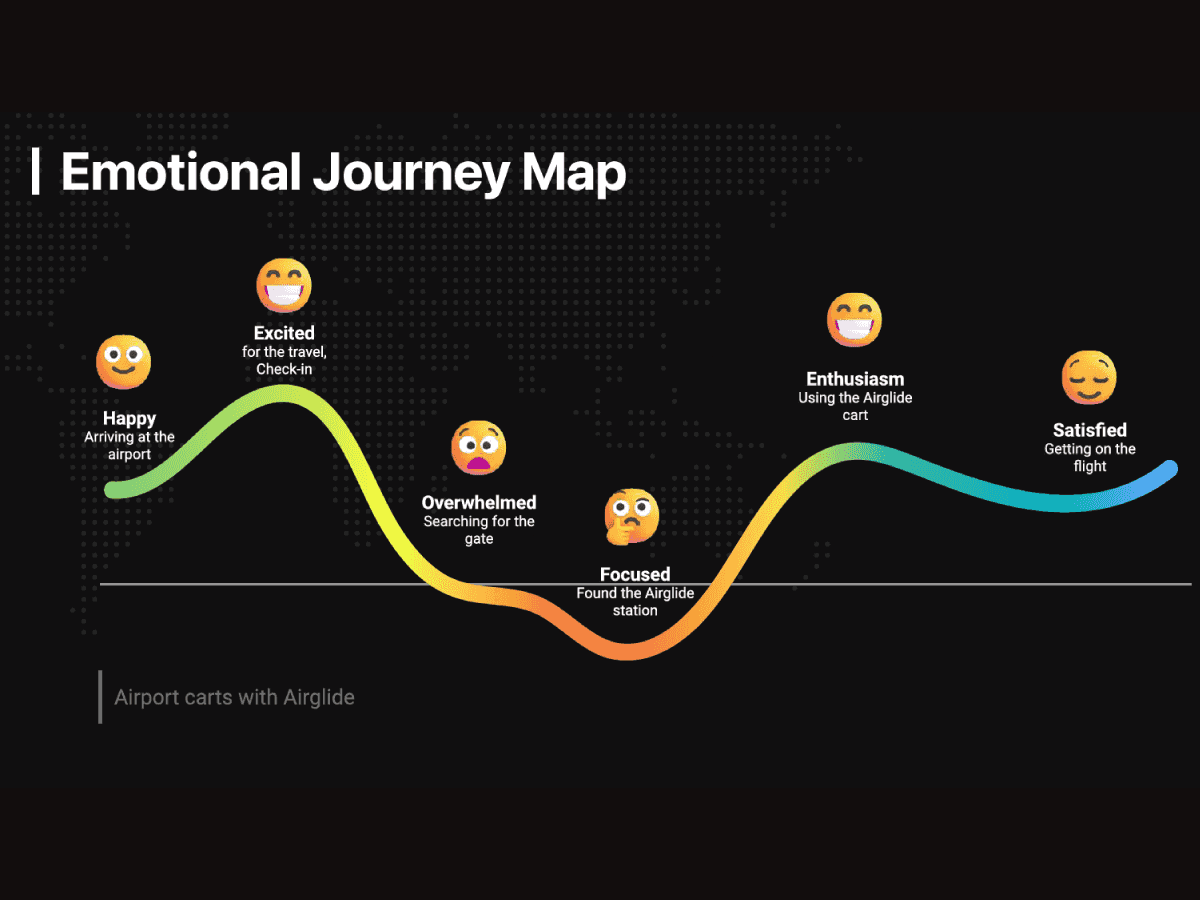
We built the experience around Cora Harrison, a 41-year-old product designer and mother of two based in Atlanta. Cora travels often for work, frequently with her toddler, and faces the gap between her professional efficiency and the chaos of family travel. Her quote drove our design decisions: "I desire a user-friendly smart cart that makes traveling with kids safe, simple, and stress-free." Mapping her emotional journey from check-in to boarding showed us exactly where the experience breaks down: searching for the gate, hunting for restaurants, and managing the stretches of overwhelm between known checkpoints. AirGlide had to intervene at those specific moments.
Concept & Sketches
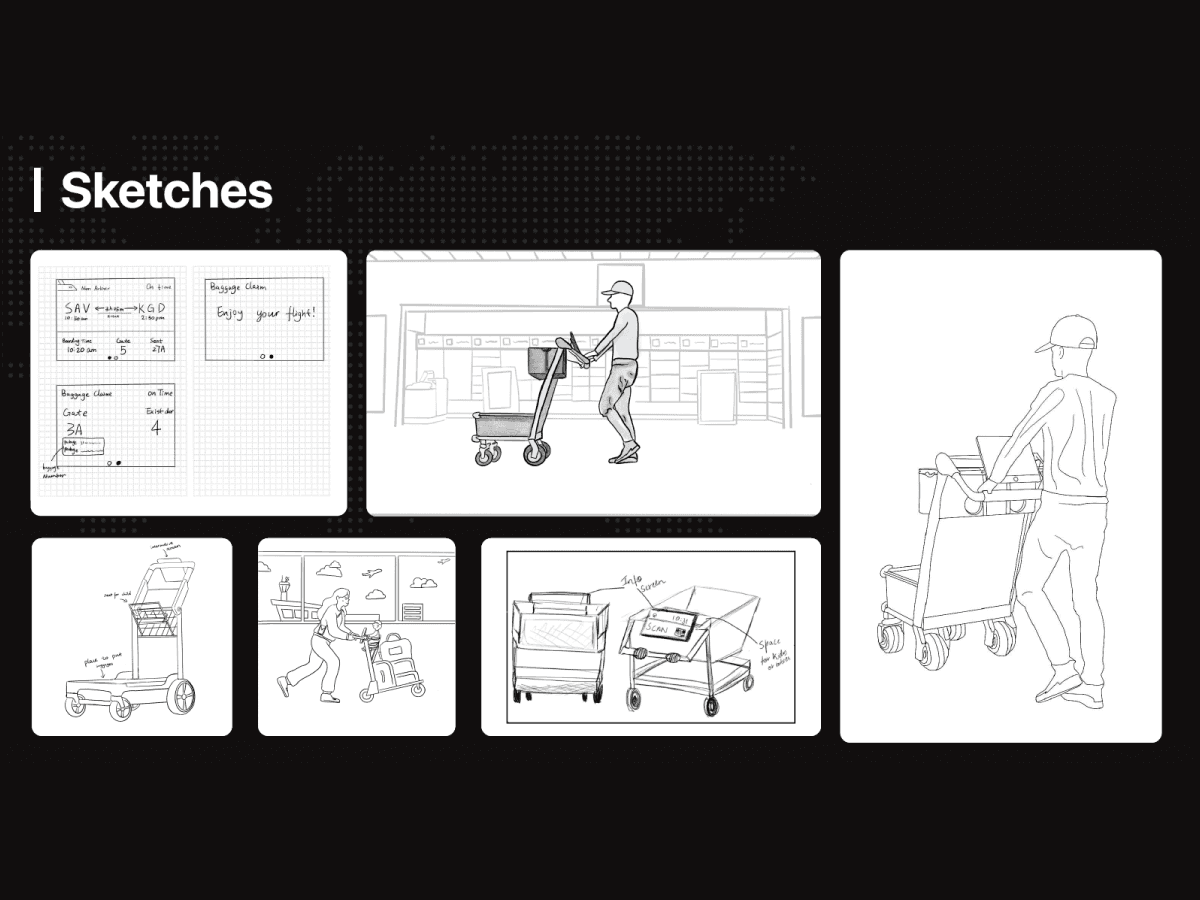
We explored cart form factors that could carry luggage, seat a child safely, and host a screen at a usable angle without obstructing the push view. Storyboards walked the cart through real airport moments: scanning a boarding pass to log in, finding the nearest restroom, browsing coffee shops with live wait times, exchanging currency before international travel.
How Might We
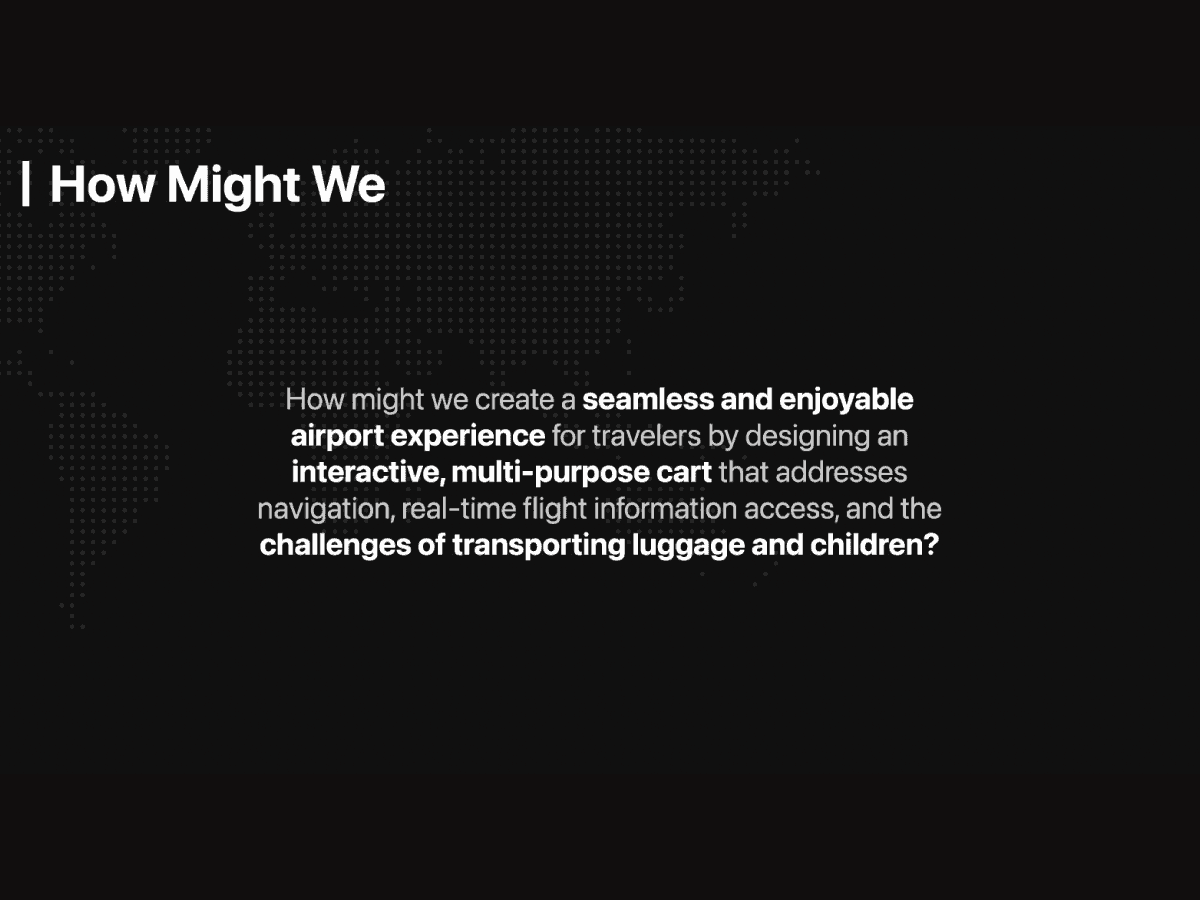
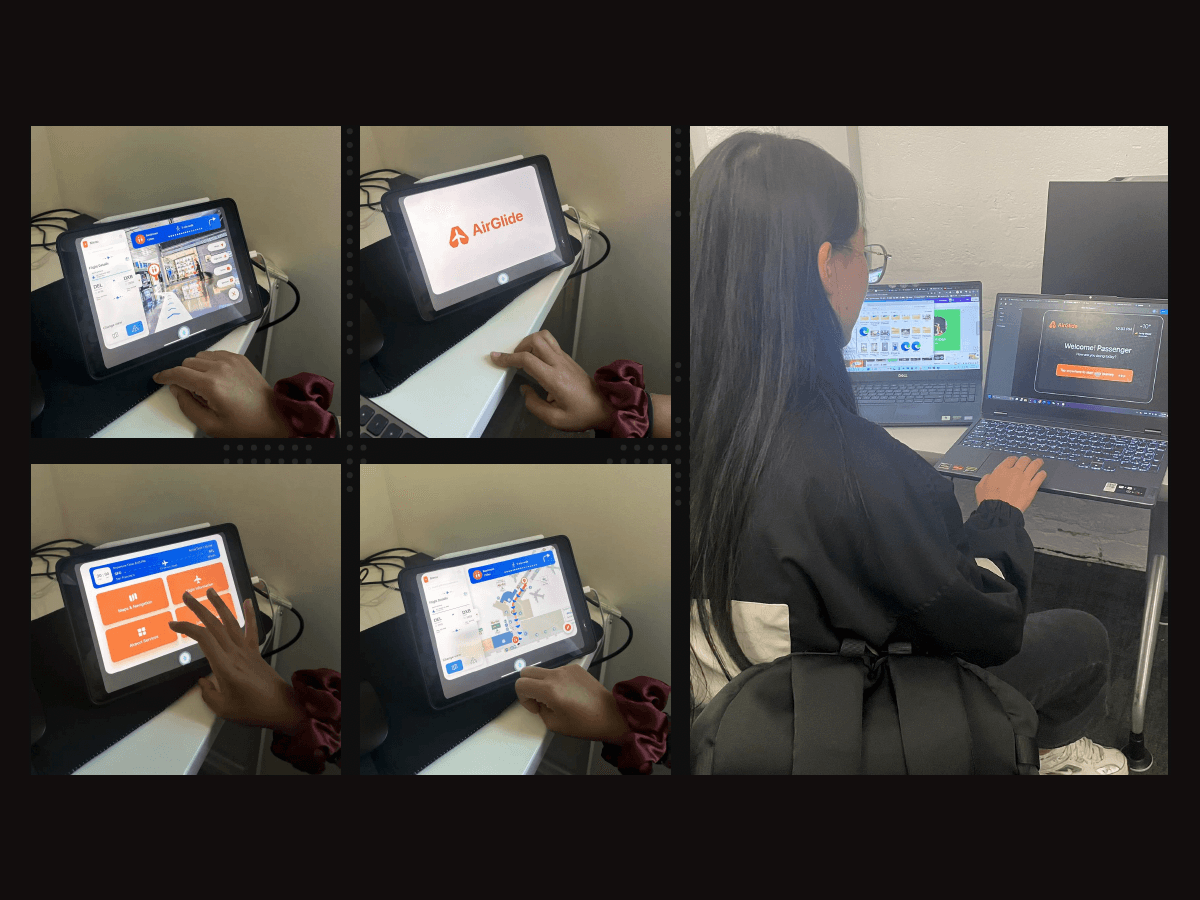
Our guiding question: how might we create a seamless airport experience by designing an interactive, multi-purpose cart that addresses navigation, real-time flight information, and the challenge of moving luggage and kids through a terminal? AirGlide became our answer. A smart cart with an integrated touchscreen, voice command, and contextual airport data, all anchored to the one object travelers are already pushing around.
Design System
We built a focused system to keep the interface consistent across every screen state. The palette pairs a primary orange (#F15F19) for action and brand against a secondary blue (#01BAFE) for navigation and data, set on a near-black surface that holds up under airport lighting. SF Pro across the typographic scale, from 32px h1 down to 12px labels, kept the system readable at arm's length on a cart-mounted screen. The system was designed for a touchscreen at standing distance, not a phone, so type sizes and tap targets were deliberately larger than mobile defaults.
The Interface
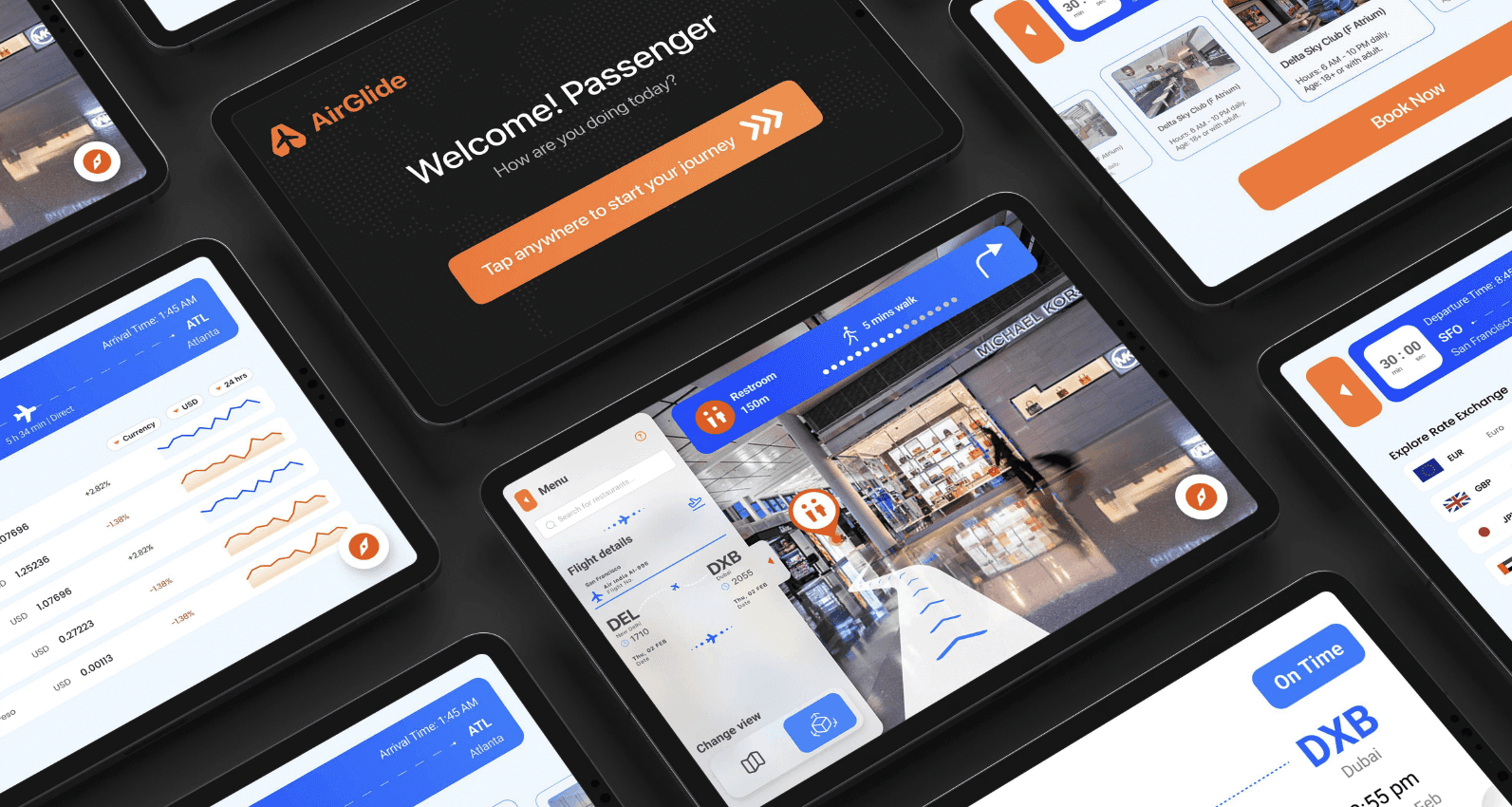
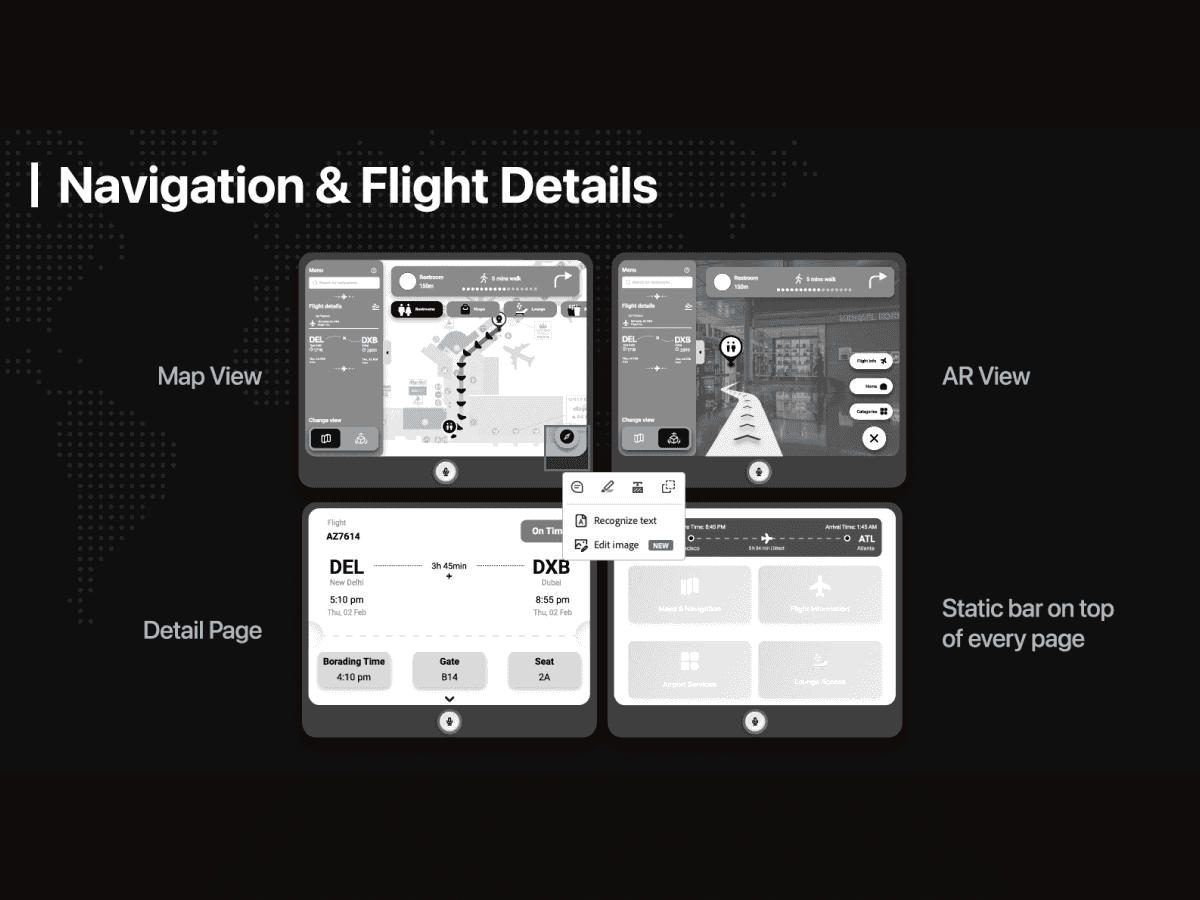
The home screen anchors on flight context: a 30-minute countdown to boarding, route (SFO to ATL), duration, and four primary destinations (Maps & Navigation, Flight Information, Airport Services, Lounge Access). From there, travelers can pull live flight details, change map view, search for restaurants, find restrooms with walking distance, or browse airport services like currency exchange (with live rates), coffee shops (with capacity and walk time), restaurants, lounges with hours and age policies, and lost & found. Voice command is built in throughout, so a parent with hands full can ask the cart to route them to the gate without ever touching the screen.
Final Renders
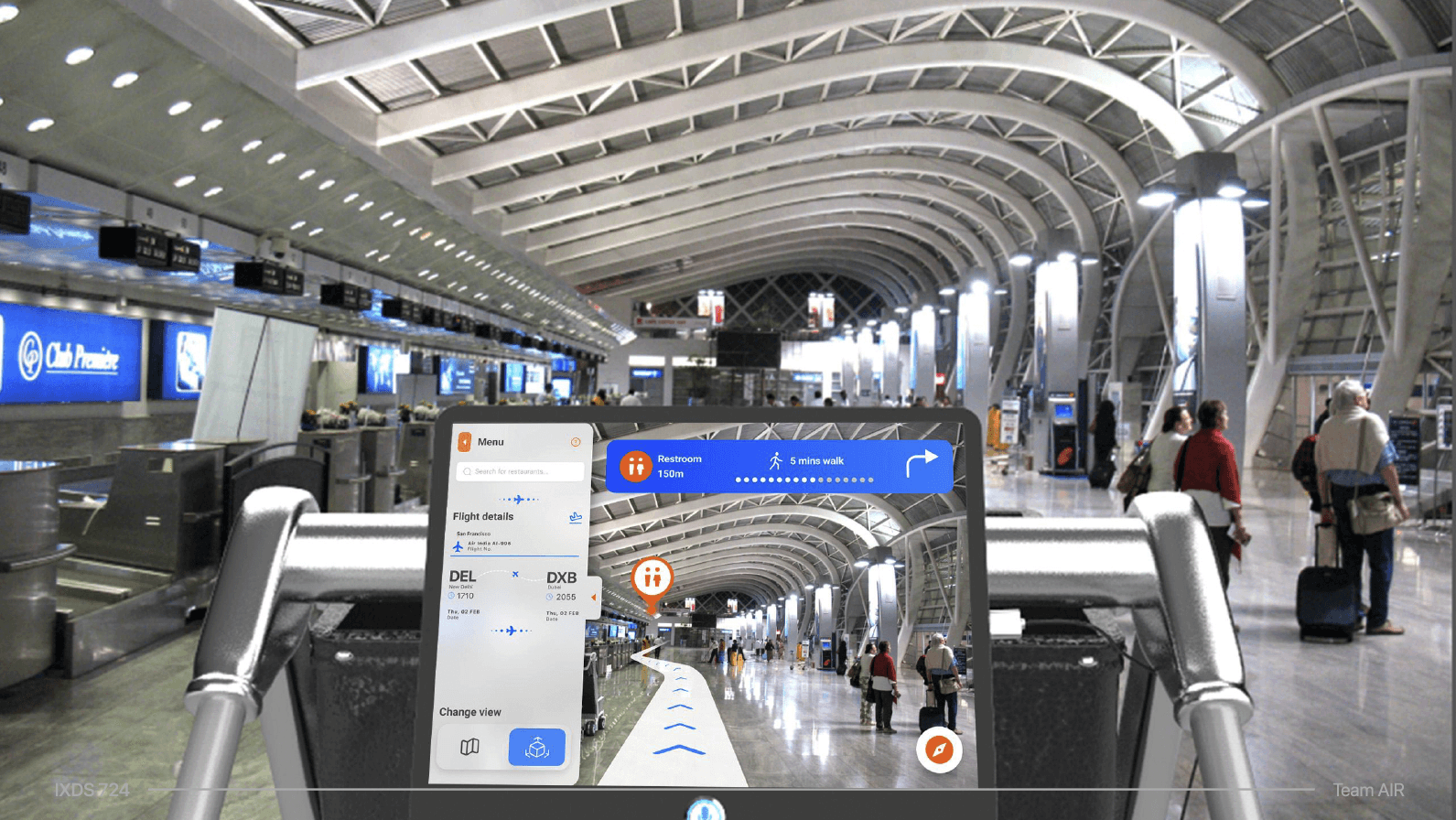
We placed AirGlide into real airport environments to test how the form factor would read at scale. The renders show the cart in use across two terminal contexts, signaling that the product fits within existing airport infrastructure rather than requiring a redesign of the space around it.
Reflection
AirGlide was an exercise in designing for an in-world surface, a screen that lives on a physical object in a public space, not a phone in someone's hand. That changed almost every design decision: type size, tap target, glance time, voice as a first-class input, and how aggressively the interface should pull a user's attention while they're actively walking through a busy terminal. The project pushed me to think about interface design as a part of a full physical product experience rather than a self-contained app.