Heart Beats
An Apple Watch app that syncs music BPM with heart rate to optimize workouts, recovery, and mindfulness sessions.
Watch OS
HEALTH & FITNESS
Role
Product Designer
Timeline
4 Weeks
team
Self-directed
platform
watchOS
The Brief
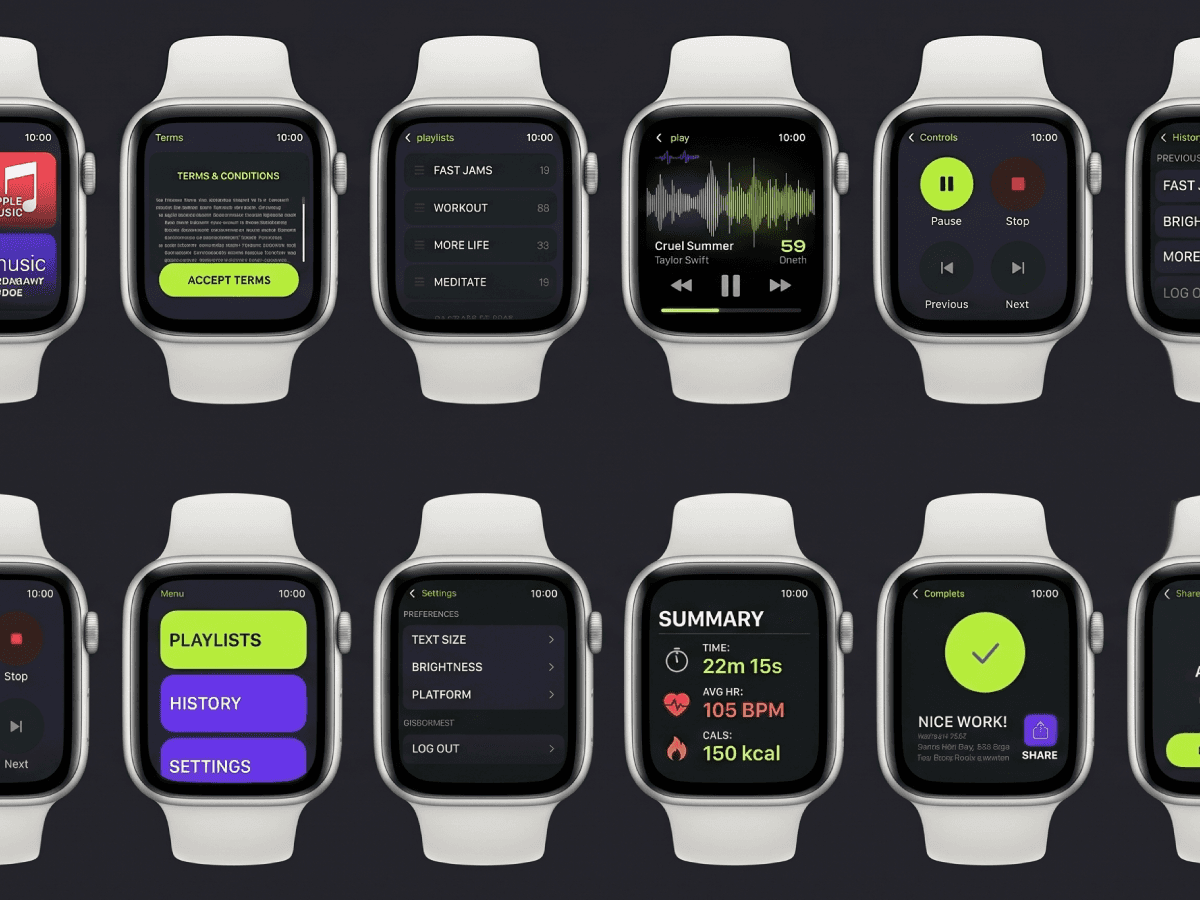
Existing fitness music apps don't actually respond to what your body is doing. You build a playlist, you start running, your heart rate climbs, and the music stays exactly where it was. Maybe it's slower than your pace. Maybe it's spiking when you're trying to cool down. Either way, you're tolerating the mismatch or stopping mid-workout to find something better.
The question I wanted to answer: what does it look like when the music actually listens to you?
More specifically: could a smartwatch app sync heart rate data with music in real time, so the soundtrack responds to what your body is doing instead of what you picked twenty minutes ago?
The opportunity wasn't "build another fitness music app." It was building one that actually paid attention to the person wearing it.
Designing for the Wrist
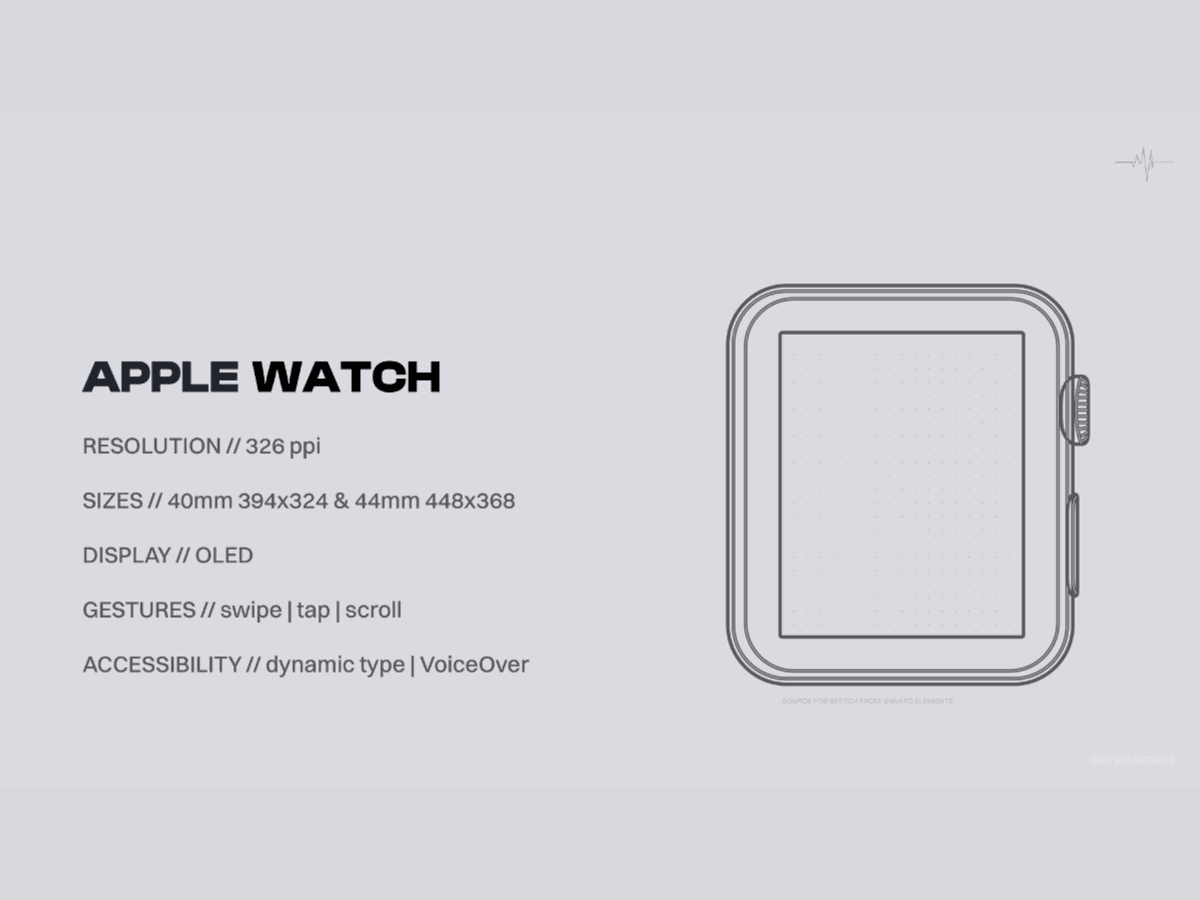
Designing for watchOS is a discipline of subtraction. You're working at 394×324 pixels on the smaller model, and every pixel has to earn its place.
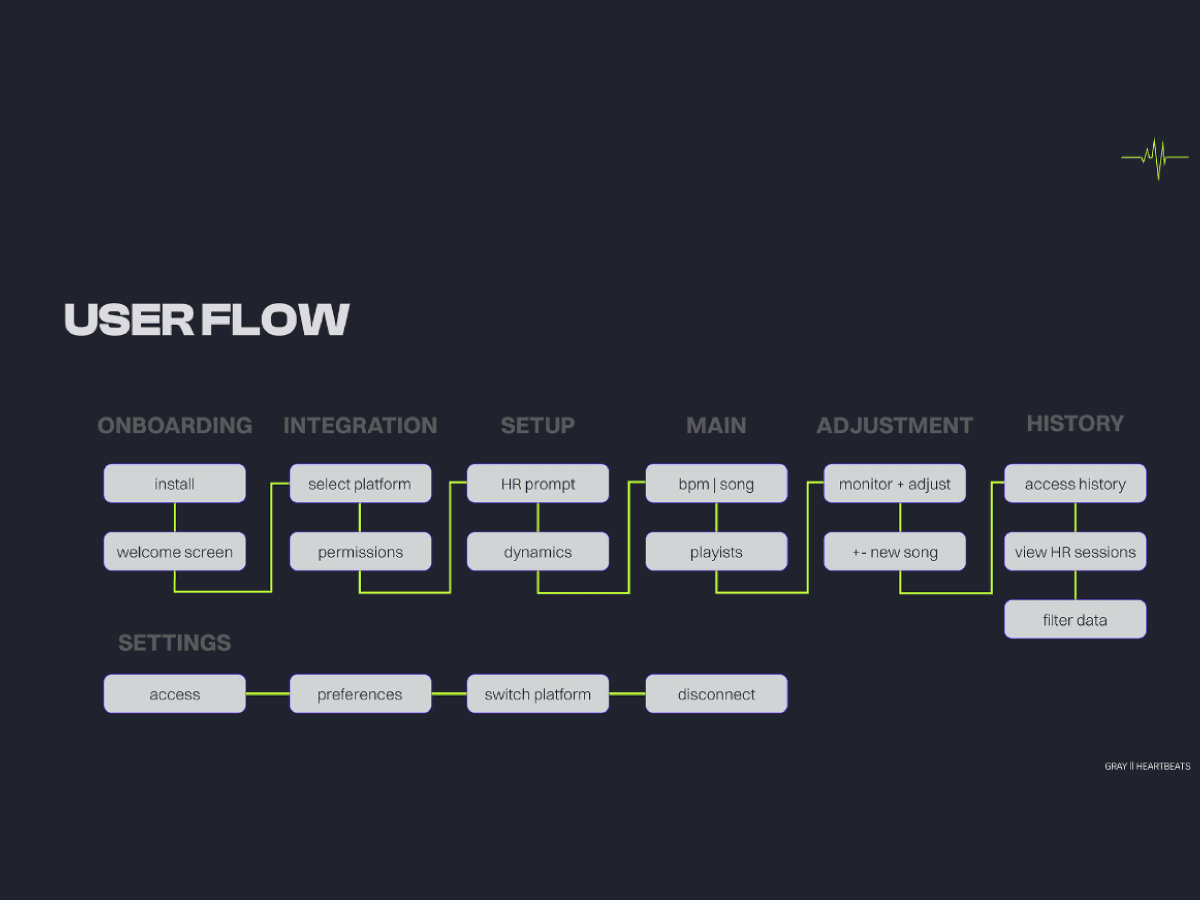
I mapped the user flow across six paths (onboarding, integration, setup, the main playback experience, dynamic adjustment, and history), plus settings. Then I worked through fidelity in stages:
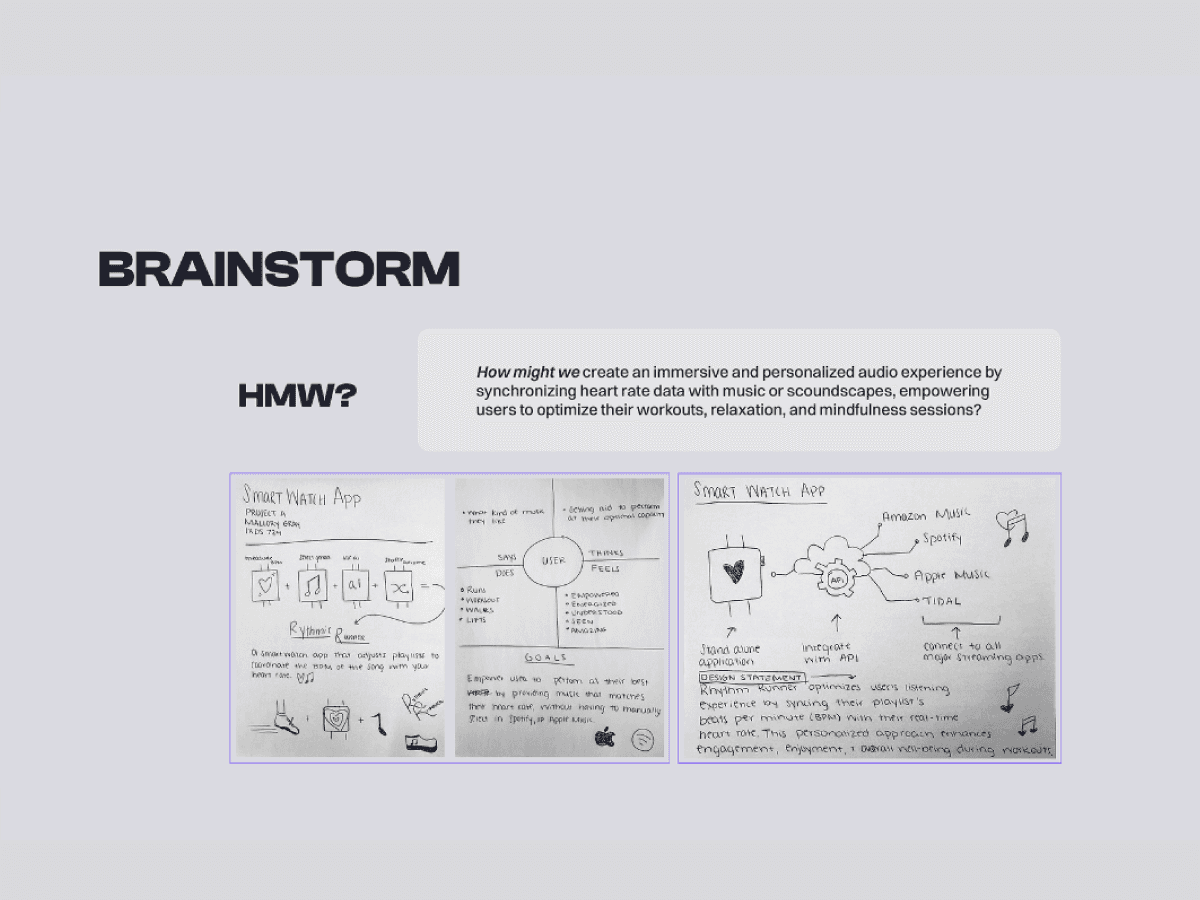
Sketches to test the most basic question: can you actually navigate this with your thumb mid-run? The early sketches kept the navigation small and the heart rate huge. That priority order ended up driving the entire visual system.
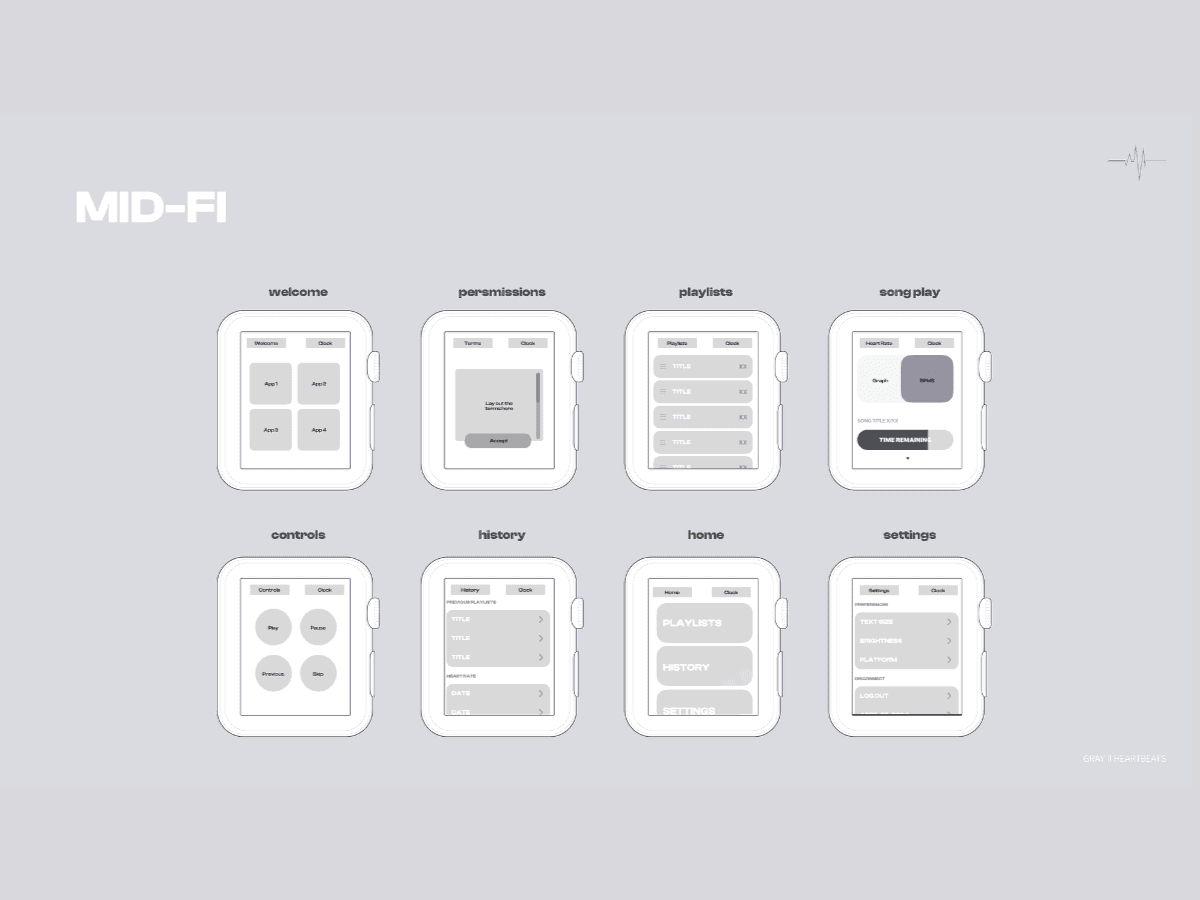
Low-fidelity wireframes to lock screen-to-screen logic before any visual distraction.
Mid-fidelity to start testing real layout and hierarchy: how big should the BPM number be? Where does the song title sit when the heart rate display dominates the screen?
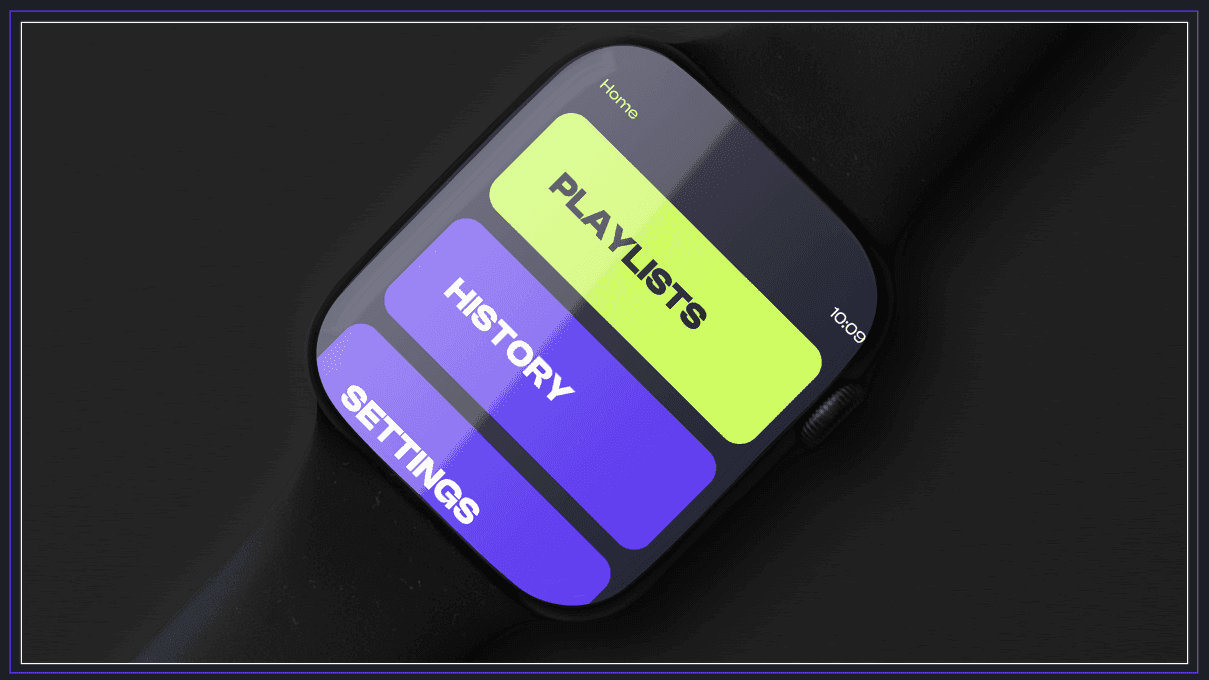
High-fidelity to bring in the brand system. Clash Display for headers, Switzer for body, etherverse purple (#6B40FA) and techno glow (#BFFF37) doing the heavy lifting on a deep navy ground (#21232E). The lime became the signal color for active state: heart rate, play indicator, current BPM.
The logo locks the relationship together: an HB monogram where the H and B share a vertical line, mirroring the way the music and the heart share a beat.
Testing & Iteration
I built an interactive Figma prototype and ran remote user tests, walking testers through the key flows and asking non-leading questions about what they noticed, what felt natural, and where they got stuck.
The core loop held up. Testers understood the BPM-matching concept immediately and could navigate playback without prompting. The brand system landed. The lime green pulled the eye exactly where I wanted it (active state, current BPM), and the type hierarchy worked at a glance.
But the prototype revealed something the wireframes hadn't: the experience felt unfinished once a session ended. Testers got to the end of a workout and described the closing screen as flat. No payoff, no transition, no acknowledgment that they'd just done a thing.
That feedback drove three additions:
Share. Turn a session into something the user can post. The workout doesn't end at the cool-down; for the kind of user this app is built for, it ends when she tells her audience about it.
Relax. Past the active session, the app offers to transition into a lower-BPM playlist matched to a recovery heart rate, instead of dropping the user back to a static screen.
Session completion feedback. A "Nice work!" screen with stats (avg heart rate, top song) that makes the closing moment feel earned.
None of these were in the original scope. They came out of putting the prototype in front of real testers and listening to what was missing.
What I Had to Work With
Watch-only canvas. No phone fallback, no companion app. Every interaction had to fit on the wrist.
Platform conventions. watchOS has its own design language and a tight gesture vocabulary: swipe, tap, scroll, dynamic type, VoiceOver. Fighting Apple's patterns on the wrist is a losing battle, so I worked within them rather than trying to invent new ones.
4-week timeline. Brief to tested prototype in a month. That meant ruthless prioritization. Every screen had to justify its existence, every feature had to map to something the user actually needed.
Figma over hardware. Prototype testing was remote, in Figma, without real Apple Watch hardware or live heart rate data. Good enough to validate flow, hierarchy, and the brand system. Not enough to validate whether the BPM-matching algorithm feels right in motion.
The Approach
I started by mapping the existing landscape. Apps like Rock My Run had nailed the curated-playlist angle, but they had real gaps. No streaming-service integration. A small library. A high annual fee. No relaxation use case. Branding that pushed them squarely into the gym-bro market. There was a clear opening for something that worked across Spotify, Apple Music, Tidal, and Amazon Music, handled both energy and recovery, and felt good to wear on your wrist.
For the user, I built a persona around a 28-year-old yoga instructor and wellness blogger, someone who'd use the app at both ends of the heart-rate spectrum and who'd care about sharing the experience with her audience. Designing for someone who lives in both high-energy and restorative work kept me from defaulting into "another running app."
From there, I narrowed to five core features:
Heart rate monitoring
Dynamic playlist adjustment based on real-time BPM
Integration with major streaming platforms
Song and BPM display
History and analysis
What I'd Do Differently
I'd push past the Figma prototype to something running on real hardware with real heart rate input. Remote testing gave me strong signal on flow and hierarchy, but the dynamic BPM-matching is the thing that defines whether this app works in practice. You can't validate that without someone actually wearing it during a workout.
I'd also build out the relaxation flow more deliberately. It came in as an addition late in the process. With more time, it deserves the same treatment as the workout flow: its own onboarding, its own visual language for low-energy states, its own success metrics.
What I Learned
Constraints sharpen design. A 394-pixel canvas forces decisions a desktop screen lets you defer. The watch made me commit to hierarchy in a way I wouldn't have on a bigger surface.
Brand identity isn't a side quest. Picking Clash Display and that specific lime wasn't separate from the product work. It directly shaped how readable the BPM number was at a glance, which is the whole job of the screen.
Testing finds the gaps your design instinct misses. I would have shipped a working core loop and called it done. The testers told me the experience had a beginning and a middle but no real ending. That feedback turned a functional prototype into a finished one.